
Website Redesign Services in Sialkot

Every website has a shelf life. What looked modern five years ago looks tired today. What worked fine on old phones breaks on new ones. Google changes its rules. Customer expectations keep rising every year. If your website has not been updated in years, it is quietly costing you customers every single day.
Think about it from a visitor's point of view. They find your business on Google and click through with interest. The site loads slowly. The design looks old and unprofessional. The text is hard to read on their phone. The photos are from 2018. Within seconds, they hit the back button and open your competitor's site instead. You never knew they visited your site at all. You only feel the slow and steady decline in inquiries.
A website redesign fixes this. It takes your existing website, keeps what works, and rebuilds what does not: a modern look, smooth mobile experience, faster loading, clearer content, and better Google visibility. You keep your domain name, your business name, and all your valuable content. Everything else gets better.
In this guide, we explain website redesign in plain words. You will learn the signs that your site needs a redesign, what actually changes during one, when a redesign beats starting from scratch, our step-by-step process, what to check before hiring, common mistakes to avoid, how much it costs, and how to keep the momentum going strong after launch.
We are Advert Solutions, a digital marketing agency in Sialkot. Our website redesign services take outdated websites and turn them into modern, fast, mobile-friendly sites that bring you business every day. We keep your content and your Google rankings safe while making everything look and work better.
Signs Your Website Needs a Redesign
Not every old website needs a redesign, but most do. Here are the clear signs. If three or more describe your site, it is time.
It looks outdated. Design trends change. Tiny text, cluttered layouts, old-fashioned gradients, and stock photos from a decade ago all signal an old site. Visitors judge your business by your website's appearance. An outdated design tells them your business is behind the times, even if your actual work is excellent.
It does not work well on phones. Open your site on your phone right now. Is the text readable without zooming? Are buttons easy to tap? Does the menu work? If not, you have a serious problem. Most of your visitors use phones. A site that fails on mobile fails, period.
It loads slowly. If pages take more than a few seconds to open, visitors leave before seeing anything. Slow loading also hurts your Google rankings. Old sites often carry bloated code, huge images, and outdated plugins that drag speed down.
Your bounce rate is high. If you have website statistics, check how many visitors leave after viewing just one page. A very high bounce rate means people arrive, dislike what they see, and leave. Good content with bad design still bounces.
Information is outdated. Old prices, discontinued products, wrong timings, a copyright notice from years ago, team members who left long ago. Every outdated detail damages trust. If updating your site feels like a chore you keep avoiding, the design and system probably need rethinking.
It does not bring inquiries. The ultimate test: does your website bring you business? If months pass with no contact form submissions, no calls from the site, and no mention by customers, your site is decoration, not a tool. A redesign turns it back into a business asset.
Competitors look better. Search for your service in Sialkot and look at competitors' websites. If theirs look modern and professional while yours looks old, customers will choose them. You do not need the flashiest site. You need one that does not embarrass you in comparison.
It is hard to update. If adding a new page or changing a photo requires calling the original developer and waiting a week, your site's foundation is wrong. A modern site should be easy for you or your staff to update. Redesigns fix this by rebuilding on a manageable system.
It is not secure. Old sites often run outdated software with known security holes. If your site has been hacked before, shows warnings in browsers, or has no SSL padlock, a redesign with proper security is overdue.
What Actually Changes During a Redesign
A redesign is more than a fresh coat of paint. Here is everything we examine and improve.
Visual design. The most obvious change. We create a modern layout with your branding: clean sections, readable fonts, balanced colors, and professional spacing. The site looks current and trustworthy. If your logo is also outdated, our logo designing service in Sialkot can refresh it to match.
Mobile experience. We rebuild the site mobile-first. Every page is designed for phones, then adapted for larger screens. Menus, forms, buttons, and galleries all work smoothly by touch. We test on real phones, not just in a desktop browser.
Site structure. Old sites often grow messy over time: pages buried three clicks deep, confusing menus, duplicate content. We reorganize everything into a clear structure. Visitors find what they need in two clicks. A clean structure also helps Google understand and rank your pages.
Content. We review every page. Outdated text gets rewritten. Thin pages get expanded with useful information. New pages are added where gaps exist, like a proper services breakdown or an FAQ section. Good content is what turns visitors into customers, so we treat it as seriously as design.
Speed. We remove bloated code, compress images, clean up plugins, and set up caching. Most redesigned sites load dramatically faster than the old version. Speed improvements alone often increase inquiries noticeably.
Calls to action. Old sites often lack clear next steps. We add visible, well-placed buttons on every page: call now, get a quote, WhatsApp us, send an inquiry. Each page guides visitors toward contacting you instead of leaving them to figure it out.
Trust signals. We add or improve testimonials, reviews, certifications, client logos, and real photos of your business. These elements answer the visitor's silent question: can I trust these people?
SEO foundation. We set up proper page titles, clean URLs, heading structure, sitemaps, and fast loading. If your old URLs must change, we set up redirects so you do not lose Google rankings or break links people have saved.
Forms and contact options. We rebuild contact forms so they actually work and reach your inbox. We add spam protection. We make phone numbers clickable on mobile and add WhatsApp buttons. Every inquiry path is tested with real submissions.
Analytics. We install proper visitor tracking so you can see how many people visit, which pages they view, and where they come from. Without data, you are guessing. With data, you can keep improving.
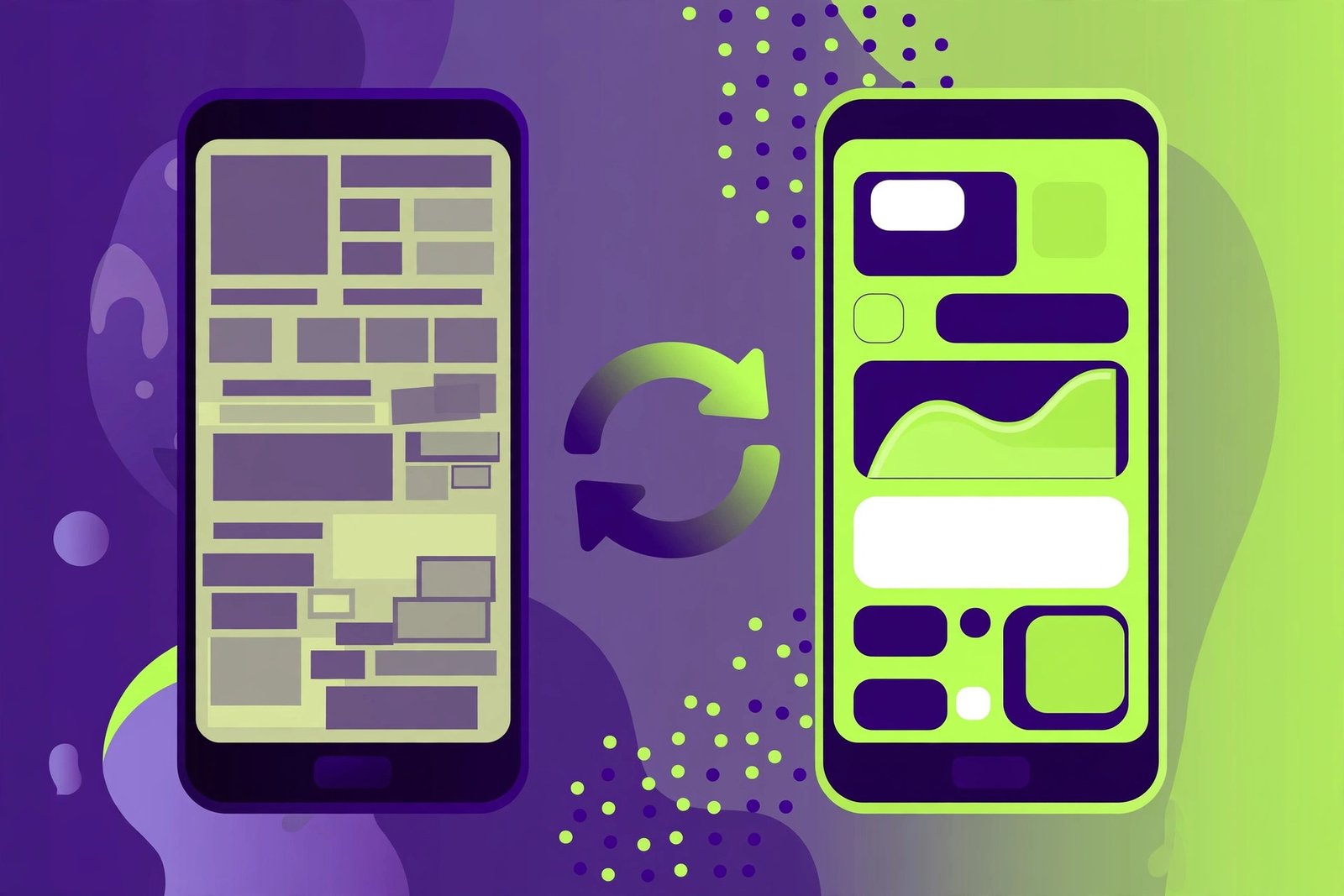
Redesign or Start from Scratch: How to Decide
Business owners often ask whether to redesign their existing site or build a brand new one. The answer depends on what you have. Here is how to think about it.
Choose a redesign when your foundation is solid. If your site is built on WordPress or another good platform, has decent content, and ranks on Google for some terms, a redesign makes sense. We keep the platform, the content, and the SEO value, and rebuild the design, structure, and experience around them. This is faster and cheaper than starting over, and you keep your Google rankings.
Choose a fresh build when the foundation is broken. If your site was built with outdated technology, has serious security problems, or is so messy that fixing it costs more than rebuilding, start fresh. We can still migrate your content and set up redirects to protect your rankings. A fresh build also makes sense if you are switching platforms, for example moving from an old custom system to WordPress.
The content question. Good content is valuable and should be kept in both cases. If your pages have useful text that customers like and Google ranks, we preserve and improve it. If the content is thin, copied, or outdated, we rewrite it. Content decisions are separate from technical decisions.
The ranking question. Many owners fear losing Google rankings during a redesign. This fear is valid but manageable. We protect rankings by keeping URLs the same where possible and setting up proper redirects where URLs must change. We keep the content that ranks and improve the technical foundation. Done right, a redesign usually improves rankings because Google rewards fast, mobile-friendly sites.
Cost comparison. A redesign typically costs less than a full new build because the content exists and the platform may stay. But a redesign of a badly broken site can approach new-build cost. We assess your current site honestly and recommend the cheaper path that still gives you a great result. Sometimes the honest answer is to start fresh.
Our recommendation process. Before quoting, we review your current site: its platform, speed, mobile behavior, content quality, and rankings. Then we tell you plainly whether a redesign or a fresh build serves you better, and why. You get an honest assessment, not a sales pitch for the more expensive option.
Our Step-by-Step Redesign Process
A good redesign is methodical. Here is exactly how we do it.
Step 1: Audit your current site. We examine everything: design, speed, mobile behavior, content, SEO rankings, traffic data, forms, and security. We identify what works and must be kept, and what fails and must change. You get a clear report of findings in plain language.
Step 2: Set goals. We agree on what the redesign must achieve. More phone calls? More export inquiries? Better mobile experience? Faster loading? Clear goals guide every decision and let us measure success afterward.
Step 3: Content inventory. We list every page on your current site and decide its fate: keep as is, update, merge with another page, or delete. Nothing valuable is lost. Nothing useless is carried over. This step prevents the new site from inheriting the old site's clutter.
Step 4: New structure. We design a clean sitemap: which pages exist, how they connect, and how visitors flow from landing to contact. Menus are simplified. Important pages are easy to reach. The structure serves both visitors and Google.
Step 5: Design. We create fresh designs for the homepage and key pages, matching your brand. You review and request changes. We revise until you approve. The design is modern, clean, and mobile-first.
Step 6: Build. We rebuild the site on a solid foundation, either improving your current platform or migrating to a better one. We implement the approved design, add all features, set up forms, and configure SEO basics, security, and backups.
Step 7: Content migration and improvement. We move your content to the new site, rewriting and expanding where needed. We optimize images. We write new pages for gaps we identified. Every page is reviewed for accuracy before launch.
Step 8: Redirects and SEO protection. We map old URLs to new ones and set up redirects so no link breaks and no ranking is lost. We verify the sitemap, check page titles, and test that Google can crawl everything properly.
Step 9: Testing. We test on phones, tablets, and computers. We submit test inquiries through every form. We check loading speed. We click every link. We fix everything we find. Then you review the full site and approve it.
Step 10: Launch and monitor. We make the new site live, usually at a low-traffic time to minimize disruption. We monitor closely for the first days: checking that forms work, pages load, and analytics track correctly. We watch your Google rankings to confirm nothing dropped.
Step 11: Training and handover. We train you to manage the new site: updating content, adding pages, and handling routine tasks. You get full admin access and simple written guides. The site is yours, fully and clearly.
What to Check Before Ordering a Redesign
A redesign is an investment. These questions help you choose the right partner.
Will you audit my current site first? A serious redesign starts with understanding what you have. If a developer quotes without looking at your current site, they are guessing. An audit shows what is worth keeping and what must change.
How will you protect my Google rankings? This is the most important technical question. The developer should explain their redirect plan and how they preserve ranking content. Vague answers here are a red flag.
Can I see redesign examples? Ask for before-and-after examples of sites they have redesigned. Look at the old version and the new one. Check the new sites on your phone. Good redesign work is visible and obvious.
What happens to my content? Clarify what gets kept, rewritten, or removed. Your valuable content should be preserved and improved, not discarded. Ask how they decide.
Will I own the new site fully? Same rule as new builds: domain in your name, full admin access, no hostage situations. Confirm this before work starts.
What is the timeline? A typical redesign takes 3 to 6 weeks depending on site size. Get the timeline in writing with clear stages. Ask what could delay it, usually content and feedback speed.
Is training included? The new site may work differently from the old one. Confirm that training on managing the redesigned site is part of the package.
What support follows launch? Ask about the free fix period after launch and about ongoing website maintenance options. Rankings and performance should be monitored after go-live, not just assumed fine.
How Much Does a Website Redesign Cost in Sialkot?
Redesign costs vary with the size and condition of your current site. Here is an honest breakdown.
Light refresh. Your site's foundation is good but the design looks dated. We redesign the visual layer, improve mobile behavior, speed things up, and polish content. The platform and structure mostly stay. This is the fastest and most affordable option.
Standard redesign. The most common project. We redesign the full site, restructure pages, rewrite and expand content, rebuild forms, improve speed and mobile experience, and protect SEO with redirects. Your content is preserved and improved. This suits most Sialkot businesses with sites older than three or four years.
Deep rebuild. Your site needs a new platform, major structural changes, new features, or a full content rewrite. This approaches new-build scope and cost, but you keep your domain authority, content value, and brand. We recommend this only when the foundation truly cannot be saved.
What affects the price? The number of pages matters most. Content work is the second factor: rewriting fifty pages costs more than polishing ten. Platform migration adds cost. New features like booking systems or multilingual pages add cost. The condition of the old site matters too: a hacked, messy site takes more cleanup.
Redesign vs new site cost. A redesign usually costs less than building from zero because content exists and sometimes the platform stays. But do not choose redesign just to save money if the foundation is broken. A cheap redesign on a rotten foundation wastes the entire investment.
Ongoing costs. After the redesign, normal yearly costs apply: domain, hosting, and optionally a maintenance plan. A redesigned site on a clean foundation is also cheaper to maintain than the old messy one.
Get an honest assessment. The real price depends on your current site's condition. We audit it first, then quote based on actual work needed. Call +92 371 4200173 or visit our contact page for a free review and quote.
Common Redesign Mistakes to Avoid
Redesigns fail for predictable reasons. Avoid these.
Redesigning for looks alone. A prettier site that still loads slowly, confuses visitors, and lacks clear calls to action is a wasted investment. Design must serve business goals, not just aesthetics.
Ignoring mobile. Some redesigns focus on the desktop view and treat mobile as an afterthought. With most traffic on phones, this is backwards. Mobile-first is not a slogan. It is the correct order of work.
Deleting pages without redirects. Removing old pages without redirecting them breaks links and loses rankings. Every removed URL needs a redirect to the closest relevant page. This is basic but often skipped by careless developers.
Changing everything at once. A redesign that changes design, platform, URLs, and content simultaneously is risky. Where possible, we stage changes and monitor impact. Controlled change beats chaotic overhaul.
Skipping content review. Migrating old, thin, or duplicated content to a beautiful new design is like putting old furniture in a new house. The redesign is the perfect time to improve content. Do not waste the opportunity.
No measurement. If you do not measure before and after, you cannot tell if the redesign worked. We record baseline numbers: traffic, inquiries, speed, rankings. After launch, we compare. Improvement should be visible in data, not just in looks.
Choosing on price alone. The cheapest redesign quote often means skipped steps: no audit, no redirects, no testing, no training. Those skipped steps are exactly what make a redesign succeed. Pay for the full job once instead of paying twice to fix a bad job.
How Often Should You Redesign Your Website?
There is no fixed expiry date, but here are practical guidelines. Most business websites benefit from a significant refresh every 3 to 5 years. Technology moves, design expectations shift, and your business itself changes. A site that was perfect in 2021 feels old in 2026.
Between redesigns, keep the site alive with regular updates: new photos, fresh content, and new pages as your business grows. A well-maintained site ages gracefully and may need only light refreshes instead of full rebuilds. Neglected sites, on the other hand, decay fast and eventually need rescue-level work.
Watch for trigger events that signal redesign time regardless of age: a big drop in inquiries, a rebrand or new logo, new services that do not fit the old structure, a Google update that punishes your site's weaknesses, or competitors launching clearly better sites. Do not wait for a crisis. Plan redesigns proactively, when you can do them well instead of rushing.
Think of it like maintaining a shop. You repaint every few years, rearrange displays as products change, and fix what breaks promptly. Your website deserves the same rhythm of care. Businesses that treat their site as a living asset get years of strong performance from each redesign, while those who ignore it end up paying for emergency rebuilds.
After the Redesign: Keeping the Momentum
Launch day is a beginning. Here is how to keep your new site performing.
Monitor the numbers. Watch traffic, inquiries, and rankings for the first two months. Compare with the old site's baseline. Most well-executed redesigns show improvement within weeks: faster loading, better mobile behavior, and clearer calls to action all convert more visitors.
Collect feedback. Ask customers what they think of the new site. Ask your team too. Fresh eyes catch issues the project team missed. Small tweaks in the first month polish the result significantly.
Keep content fresh. Add new photos, publish occasional articles, and update pages as your business changes. A redesign gives you a beautiful container. Fresh content keeps it valuable.
Stay maintained. Updates, backups, and security do not stop mattering after a redesign. A maintenance plan keeps your new site fast, safe, and healthy for years, protecting the investment you just made.
A Typical Redesign Story: From Invisible to Inquiries
To make this concrete, here is a realistic story of how a redesign transforms a Sialkot business. The details are typical of projects we see.
A sports goods manufacturer has a website built in 2019. It has 25 pages, but the design looks old. On phones, the menu barely works. The site loads in 9 seconds. The contact form has been broken for months without anyone noticing. The site gets some Google traffic but almost no inquiries. The owner is embarrassed to share the website link with buyers.
The redesign starts with an audit. We find that 8 pages get almost all the traffic, 10 pages are thin duplicates, and 7 pages are completely outdated. The product photos are small and dark. The text mentions prices from three years ago.
We rebuild the site mobile-first with a clean modern design. We merge the duplicate pages, rewrite the thin ones, and delete the dead weight with proper redirects. We replace dark photos with bright new ones the owner provides. We add clear call-to-action buttons, a working contact form, WhatsApp chat, and customer testimonials. Loading time drops from 9 seconds to under 3.
Within two months of launch, the picture changes. Mobile inquiries triple because the site finally works on phones. The owner starts sharing the link confidently with foreign buyers. Google rankings improve for key product terms because the site is faster and better structured. The redesign paid for itself within a quarter through new orders alone.
This story repeats with variations across industries: clinics, boutiques, exporters, institutes. The pattern is always the same. An old site silently loses business. A proper redesign restores it and adds growth on top.
DIY Redesign vs Hiring Professionals
Some business owners consider redesigning the site themselves using a website builder. Sometimes that works. Often it does not. Here is an honest comparison.
DIY works when the site is simple and you have time. If you need a basic 5-page site and you enjoy learning new tools, a DIY builder can produce something decent. You will spend many evenings on it, but you will learn a lot and save money.
DIY fails when the site matters for revenue. If your website brings export inquiries, online orders, or serious B2B leads, amateur work costs you real money. A DIY site that looks unprofessional, loads slowly, or breaks on some phones loses customers you never meet. The savings vanish in lost business.
Professionals bring experience you cannot Google. Knowing which layouts convert, how to structure URLs for SEO, how to protect rankings during migration, and how to test thoroughly comes from doing it many times. A professional redesign includes dozens of small decisions that each add up to a better result.
The hybrid option. Some clients handle content themselves and hire us for design and technical work. This saves money while keeping professional quality where it matters most. If you enjoy writing and have good photos, this can be a smart middle path.
Count your own time honestly. A DIY redesign that takes you 60 hours has a real cost: 60 hours you did not spend on your business. For most business owners, their time is better spent on customers while professionals handle the website.
Preparing Your Team for the New Website
A redesign affects more than the website. Your team needs to be ready for the new site to get the most from it.
Decide who updates the site. Name one person responsible for keeping content fresh. It can be you or a staff member. Without a named owner, updates do not happen and the site goes stale again within a year.
Train that person well. We train your designated person during handover, but reinforce it internally. Make updating the site part of someone's regular duties, not an occasional favor. A site that is someone's job stays current. A site that is nobody's job decays.
Prepare new photos in advance. The redesign is the perfect excuse to photograph your shop, factory, team, and products properly. Good daylight, clean backgrounds, and real scenes. Schedule a photo day before the content phase so images are ready when needed.
Brief your sales team. If your team talks to customers, they should know the new site: what is on it, how the inquiry forms work, and where to direct people. A salesperson who says visit our website and see our new catalogue is far more effective than one who never mentions it.
Update your other channels. After launch, update your Google Maps listing, Facebook page, business cards, email signatures, and any directories with the new site details. Consistency across channels strengthens the impact of the redesign.
Redesigning for Exporters: Winning Foreign Buyers
Sialkot exporters face a special challenge: foreign buyers judge them almost entirely online. A buyer in Germany or America will never visit your factory before the first order. Your website is your factory tour, your salesman, and your credibility, all in one.
First impressions decide everything. When a buyer compares five suppliers, the websites do the talking. An outdated site suggests an outdated factory, even if your production floor is world-class. A modern, professional site suggests a serious, reliable partner. Buyers admit this openly: they shortlist suppliers with better websites.
Show your factory. Foreign buyers want to see where their products will be made. A redesign for exporters should include a strong factory section: photos of production lines, quality control, warehousing, and your team at work. A short video tour is even better. These visuals answer the buyer's biggest question: can I trust these people with my order?
Organize products for buyers. Export buyers think in categories and specifications. Your redesigned catalogue should let them browse by product type, filter by material or size, and download spec sheets. Each product page needs an inquiry button that captures exactly which product the buyer asked about. Vague contact forms that do not mention the product waste everyone's time.
Speak the buyer's language. Use clear international English. Show certifications buyers recognize. Mention the countries you already export to. Display compliance and quality processes plainly. These details separate serious exporters from the crowd.
Make contacting effortless. A buyer comparing suppliers will contact the easiest ones first. Your inquiry forms should be short, your WhatsApp number visible, and your response time fast. The redesign should remove every bit of friction between interest and inquiry.
For exporters, a website redesign is not a cosmetic expense. It is a sales investment that directly affects how many foreign buyers take you seriously. The cost of looking outdated in front of international buyers far exceeds the cost of a redesign.
Frequently Asked Questions
How do I know if my website needs a redesign?
Look for the signs: outdated appearance, poor mobile experience, slow loading, falling inquiries, outdated information, and competitors with better sites. If three or more apply, your site likely needs a redesign. We also offer free site reviews where we assess your current website honestly.
Will I lose my Google rankings during a redesign?
Not if it is done properly. We protect rankings by keeping URLs the same where possible and setting up redirects where URLs change. We preserve the content that ranks and improve the technical foundation. Done right, rankings usually improve because Google favors fast, mobile-friendly sites.
How long does a website redesign take?
A typical redesign takes 3 to 6 weeks depending on the number of pages and the amount of content work. Larger sites or platform migrations take longer. We give you a written timeline after auditing your current site.
Is a redesign cheaper than building a new website?
Usually yes, because your content exists and the platform may stay. But if your current site's foundation is badly broken, a deep rebuild can approach new-build cost. We assess your site first and recommend the most cost-effective path that still gives a great result.
Will my website content be kept during the redesign?
Yes. We inventory every page and preserve what is valuable, improving it where needed. Thin or outdated content gets rewritten. Nothing useful is lost, and nothing useless is carried over to the new site.
Can you redesign a website built by another developer?
Yes. We regularly redesign sites built by others. We start with a full audit of what you have, then rebuild it properly. You will need to provide access to your hosting and domain, which should be in your name.
Will my redesigned site work on mobile phones?
Yes. We rebuild mobile-first, designing for phones before larger screens. Every page is tested on real phones before launch. Mobile is not an afterthought in our process. It is the starting point.
Do I need to provide new photos and text?
Fresh photos and updated text make a big difference, and we will guide you on what is needed. We polish your text into professional copy and optimize your photos. If you have good existing content, we keep and improve it rather than starting from zero.
What happens to my domain name during a redesign?
Nothing. Your domain name stays exactly the same and stays in your name. The redesign happens on a staging copy first, and we switch it live when everything is approved. Your visitors experience no disruption.
How much does a website redesign cost in Sialkot?
It depends on your current site's size and condition. A light refresh costs less than a deep rebuild with new content and features. After a free audit of your site, we give you a clear quote with no hidden charges.
Give Your Website a Fresh Start
Your website should be an asset that brings you business, not an embarrassment you avoid showing. If your site is outdated, slow, or invisible on mobile, a redesign can transform it completely while protecting everything you have built over the years: your content, your rankings, and your brand reputation.
Advert Solutions specializes in turning tired websites into modern, fast, mobile-friendly sites that convert visitors into customers. We audit first, plan carefully, protect your SEO, and train you on the new site. From the first review to the final launch, you always know what is happening and why.
Get a free site review today. Call us at +92 371 4200173 or reach out through our contact page. We will look at your current website and tell you honestly what it needs, what it will cost, and how long it will take. No pressure, just a clear plan. Most business owners are surprised by how much difference a proper redesign makes once they see the before and after.
We do this for businesses.
Get a free consultation — we'll map the fastest path for you.