
Mockup Designing in Sialkot
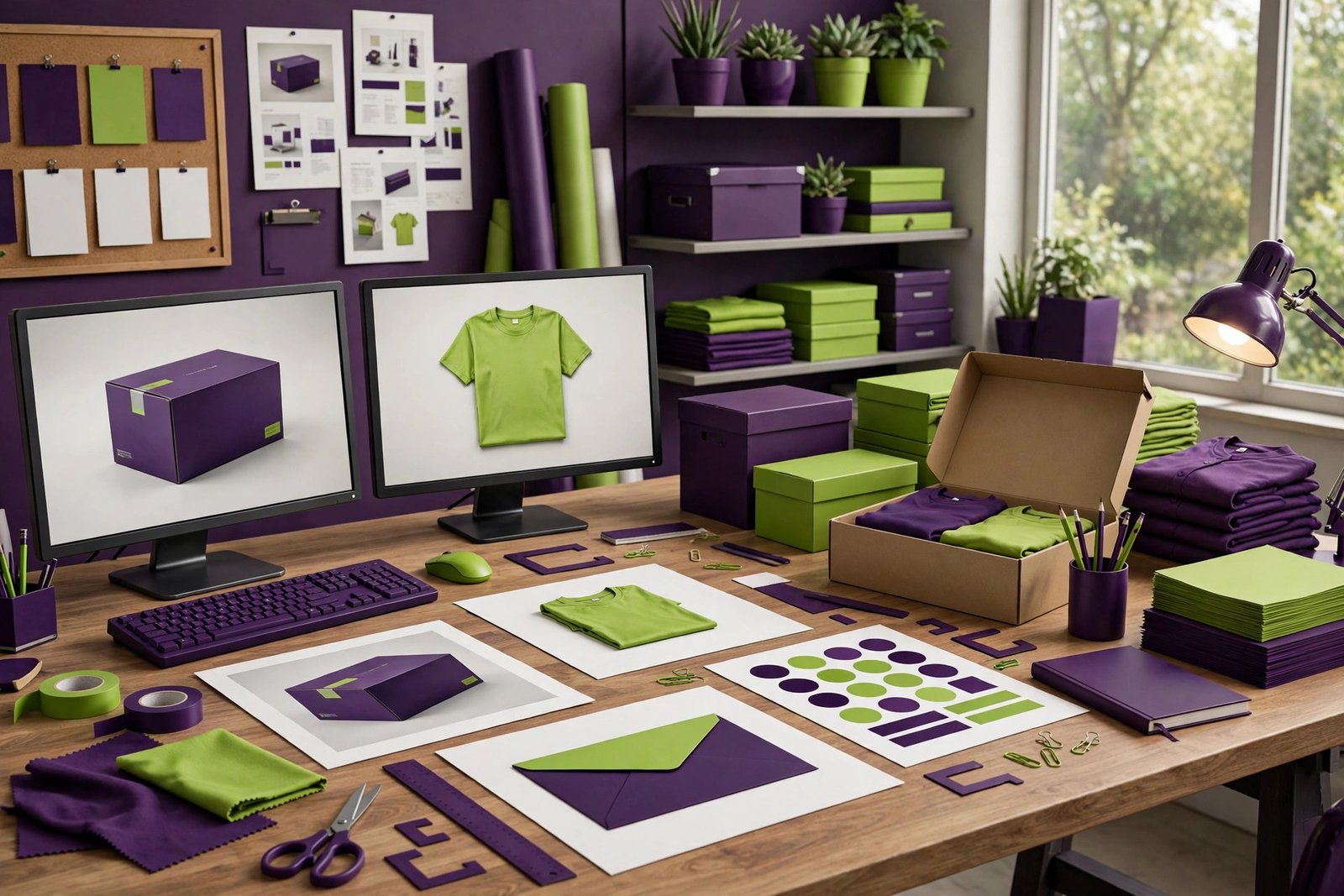
A mockup is a realistic preview of your design on a real product — your logo on a t-shirt, your box design on an actual box, your business card in someone's hand. It lets you see the finished result before you spend money on printing or production. In this complete guide, we explain what mockups are, how they differ from 3D renders and photography, why every business needs them, the main types of mockups, what makes one look professional, how our process works, what mockups cost in Sialkot, and how to use them in your marketing for the best results.
What Is a Mockup, Exactly?
A mockup is a digital image that shows your design as it would look in real life. Instead of a flat logo file on a white background, you see that logo printed on a shop sign, stitched on a cap, or embossed on a visiting card. Instead of a flat box design, you see the actual box sitting on a shelf, photographed from the perfect angle.
Mockups are created by designers using realistic templates, lighting effects, shadows, and perspective. The design is placed onto a photographic scene so precisely — following curves, folds, and textures — that a good mockup is hard to tell apart from a real photograph. That realism is the whole point: it removes guesswork. You no longer have to imagine what your design will look like. You can see it.
Mockups are not the design itself. The logo, the packaging, or the brochure is designed first. The mockup then places that finished design into a real-world scene so you can judge it properly, approve it confidently, and show it to others convincingly.
Think of it this way: the design is the recipe, and the mockup is the food photograph. The recipe tells you what is in the dish; the photograph makes you want to eat it. Both matter, but they serve different purposes — and clients, buyers, and customers respond to the photograph.
Mockup vs 3D Render vs Real Photography
These three get confused often. Each has its place, and knowing the difference saves you money.
Mockups place your 2D design onto a realistic photo-style scene. They are fast to produce (1-2 days typically) and affordable. For most marketing, approval, and presentation needs, mockups are all you need. They show your design in context beautifully without the cost of full 3D production.
3D renders build the entire product from scratch in 3D software — every surface, every material, every reflection calculated. Renders allow impossible camera angles, exploded views, and animations. They cost significantly more and take longer, but for complex products or video content, they are unmatched.
Real photography captures the actual physical product. Nothing beats it for final e-commerce listings and catalogues of existing products. But photography requires the product to exist, a shoot to be arranged, and often a studio — expensive and slow for pre-production marketing.
The practical rule: use mockups for approvals, proposals, pre-launch marketing, and portfolios. Use 3D renders when you need angles or animations mockups cannot provide. Use real photography for final sales materials of products that exist. Most businesses need mockups far more often than the other two.

Why Your Business Needs Mockups
Mockups solve real business problems. Here are the five reasons businesses in Sialkot order them constantly.
Approve designs with confidence. A logo might look great flat but wrong on a shirt. A box design might look fine on screen but crowded in 3D. A business card might have text too small to read in hand. Mockups catch these problems before printing, when fixes are free. Approving from flat files is gambling; approving from mockups is deciding.
Impress clients and buyers. Showing an international buyer a realistic image of your branded football, your packaged product, or your complete stationery set is far more convincing than a flat design file. Mockups make your proposals look professional and serious. They signal that you think in finished products, not rough ideas.
Market before you manufacture. Want to test a new product design on social media before producing it? A mockup lets you post realistic product images, take pre-orders, run ads, and gauge interest — without making a single unit. This de-risks new product launches enormously.
Build a stronger portfolio. Designers, printers, and agencies use mockups to present work beautifully. A portfolio full of realistic mockups wins more clients than one full of flat files. If you sell design or manufacturing services, mockups are how you show what you can do.
Align teams and stakeholders. When everyone — designer, client, printer, salesperson — looks at the same realistic preview, misunderstandings disappear. "I thought the logo would be bigger" never happens when the size was visible in the mockup. Mockups are a shared visual language.
Approving Designs With Confidence: The Approval Advantage
The most practical benefit of mockups is better approvals. Here is how they transform the approval process.
Without mockups, clients approve flat designs and hope. The logo looks good as a PDF. Then it gets embroidered, and the thin lines disappear. The box looks good flat, then gets printed, and the text on the side panel is unreadable. These surprises cost money — reprints, delays, and frustration.
With mockups, you see the embroidery effect before ordering embroidery. You see the box from the side angle before printing. You see the card in a hand before printing 1,000. Problems become visible when they are still cheap to fix — in the design file, not on the production line.
Mockups also make feedback specific. Instead of vague comments like "something feels off," clients point at the mockup and say "the logo looks too small on the shirt pocket." Specific feedback leads to fast, accurate revisions. Everyone saves time.
For businesses approving designs remotely — a Sialkot manufacturer and a European buyer, for example — mockups bridge the distance. Both parties see the same realistic preview, discuss the same image, and approve with shared understanding. No one flies anywhere; the mockup does the traveling.
Impressing Buyers: Mockups in Sales
In competitive markets, presentation wins. Mockups give your sales materials an edge that flat designs cannot match.
Buyer presentations. When pitching to a new buyer, open with mockups, not flat files. A realistic image of their potential product — your manufacturing capability shown through their branding — makes the opportunity tangible. Buyers respond to what they can see themselves selling.
Quotes and proposals. Attach relevant mockups to your quotations. A quote with a realistic product preview gets more attention than a quote with just numbers. It also reduces back-and-forth questions about "what will it look like?"
Trade fairs. Display mockups of new designs at your exhibition stand — including products you have not manufactured yet. Visitors respond to finished-looking presentations, and you can gauge interest before committing to production.
Custom and private-label pitches. For private-label work, mockups showing the buyer's branding on your product formats are incredibly persuasive. They let the buyer visualize their brand on your manufacturing — which is exactly what they are considering buying.
Marketing Before You Manufacture
One of the most powerful uses of mockups is selling products that do not exist yet. This changes how businesses launch.
Test demand first. Post mockup images of a new product design on social media and measure the response. Strong engagement and inquiries signal real demand; silence tells you to rethink before investing in production. This market testing costs a fraction of manufacturing a test batch.
Take pre-orders. With convincing mockups, you can open pre-orders for new products. Pre-order revenue can fund the production run — and pre-order numbers tell you exactly how much to manufacture, reducing overstock risk.
Run ads with finished-looking creative. Advertising needs compelling visuals. Mockups provide professional product imagery for Facebook, Instagram, and Google ads before the product exists. Your launch marketing can be ready the day production finishes — not weeks later.
Pitch to retailers. Retail buyers want to see what they would stock. Mockups of your packaged product on a shelf scene let you pitch retailers and distributors before manufacturing, securing orders that justify the production investment.
The key principle: never manufacture on hope when you can manufacture on evidence. Mockups generate that evidence cheaply.
Logo Mockups: Seeing Your Brand in the World
Logo mockups show your mark applied to real-world surfaces. They are essential after any logo design project.
Common logo mockup scenes: business cards, letterheads, and envelopes; shop signs and billboards; stamps and embossing; embroidery on caps and shirts; engraving on metal; vehicle branding; coffee mugs and merchandise; app icons and social avatars.
Why they matter: a logo that works flat does not always work applied. Thin lines vanish in embroidery. Detailed marks become blobs when engraved small. Wide logos do not fit square avatars. Logo mockups reveal these issues across every application — before you commit to any of them.
What we deliver: your logo realistically placed on the surfaces that matter for your business, with correct perspective, lighting, and material effects. Embroidery looks like thread; engraving looks etched; print looks printed. This realism is what makes the preview trustworthy.
Packaging Mockups: The Box Before the Box
Packaging mockups show your box, pouch, label, or bottle design in realistic 3D — essential before any print run. See our packaging design guide for the full design process.
What they show: the finished package from every angle — front, back, sides, top — plus the opened box, the product inside, and the packaging in context (on a retail shelf, in a customer's hands, in a shipping carton).
Why they matter: flat packaging artwork hides problems. Text that looked fine flat may wrap awkwardly around a fold. Colors that popped on screen may look dull in 3D. The front panel may look great while the side panels clash. Mockups reveal all of this.
Shelf scenes: we can place your packaging in realistic retail environments — alongside competitor products, on store shelves, in display arrangements. This shows you exactly how your product will compete for attention, and whether your design stands out or disappears.
Apparel Mockups: Designs on Garments
Sialkot's garment and sportswear industry runs on apparel mockups. They are how designs are presented, approved, and sold.
What they cover: t-shirts, hoodies, caps, jerseys, tracksuits, and full uniforms — your designs shown on realistic garment photography with correct fabric drape, shadows, and print effects (screen print, embroidery, sublimation each look different, and our mockups reflect that).
Buyer presentations: sports brands and teams want to see their designs on actual garment shapes before ordering. Apparel mockups let manufacturers present custom designs convincingly — the buyer sees their team in the kit, not just a flat graphic.
Size and placement checks: a chest print that looks perfect flat may sit wrong on a real shirt. Mockups show print size and placement realistically, catching issues before production. This is especially important for all-over sublimation designs.
E-commerce imagery: for online sellers, apparel mockups provide professional product images without photoshoots. Multiple colorways, flat lays, and lifestyle scenes — all from the design files.
Stationery and Brand Identity Mockups
When presenting a complete brand identity, stationery mockups show all the pieces working together.
The classic brand scene: business cards, letterhead, envelope, and folder arranged in one professional composition. This single image communicates the entire identity more powerfully than separate flat files. It is the standard for brand presentations — and for good reason.
Why clients love them: a brand identity is abstract until you see it applied. The stationery mockup makes it concrete: "this is what your business will look like." It turns a design project into a vision of the client's future business.
Portfolio power: for designers and agencies, identity mockups are portfolio essentials. They show not just design skill but the ability to think in systems — exactly what serious clients pay for.
Digital and Device Mockups
For web and app projects, device mockups present digital designs realistically.
What they show: your website on laptop and desktop screens, your mobile site or app on phones and tablets — in realistic settings like desks and hands. Multiple devices in one scene show responsive design working across screens.
Why they matter: screenshots look flat and technical; device mockups look like real products. When presenting a website to a client, the device mockup says "finished product" while a screenshot says "work in progress." Perception shapes approval.
Marketing use: device mockups are standard in software marketing, app store listings, and web agency portfolios. They make digital products feel tangible.
Signage, Vehicle, and Environmental Mockups
Large-format branding needs previewing too — mistakes at billboard scale are expensive.
Signage mockups show your shop board, billboard, or factory sign in realistic street scenes. They reveal readability issues at distance — text that looked fine on screen may be unreadable from across the road. We test signage mockups at realistic viewing distances.
Vehicle mockups show your branding on cars, vans, and trucks. Vehicle graphics have unique constraints — door handles, windows, curves — that flat designs ignore. Mockups ensure your branding works with the vehicle's reality, not against it.
Environmental mockups place your branding in interior spaces: office walls, retail stores, exhibition stands, and event branding. For businesses investing in physical spaces, these previews prevent costly mistakes and align everyone on the vision.
What Makes a Mockup Look Professional
Not all mockups are equal. Here is what separates convincing professional work from obvious fakes.
Realistic lighting and shadows. The design must sit in the scene's light — matching direction, warmth, and intensity. Shadows must fall naturally. When lighting matches, the brain accepts the image as real; when it does not, something feels wrong even if the viewer cannot say what.
Correct perspective and distortion. A logo on a bottle must curve with the bottle. A design on a folded shirt must follow the folds. A graphic on a waving flag must ripple. Flat designs pasted without distortion scream "fake" instantly.
Material-appropriate effects. Embroidery has thread texture. Engraving has depth. Screen print sits on fabric differently from sublimation. Foil reflects light. Professional mockups reproduce these material realities; amateur ones apply a one-size-fits-all overlay.
High resolution. You may zoom in, print, or post the mockup large. Low-resolution mockups fall apart under scrutiny — pixelation destroys the illusion immediately.
Appropriate scenes. A luxury product mockup belongs in an elegant setting; an industrial product belongs in a working environment. The scene should match your brand and speak to your customer. Wrong scenes create confusion about what you are selling.
What to Look For Before Ordering Mockups
Use this checklist when commissioning mockup work.
Check their portfolio for realism. Look at their past mockups critically. Do the designs sit naturally in the scenes? Do materials look right? If you can immediately tell they are mockups, the quality is not good enough for client-facing use.
Confirm the scenes you need. Generic mockup templates are widely available, but your business may need specific scenes — your product type, your industry context, your brand environment. Confirm the designer can create or source the right scenes, not just use whatever template is handy.
Provide good source files. Mockup quality depends on your design files. Vector logos and high-resolution artwork produce the best results. Low-quality source files limit what any mockup artist can achieve — garbage in, garbage out.
Clarify usage rights. Confirm you can use the mockups in your marketing, proposals, and social media. Most professional mockup services include full usage rights, but confirm it.
Ask about revisions. What if the logo placement needs adjusting, or you want a different scene? Understand the revision policy before starting — normal refinement should be included.
Our Mockup Design Process
We keep mockup projects fast and straightforward.
Step 1 — Tell us what you need. Send us your design files (logo, packaging artwork, apparel graphics — whatever needs mocking up) and tell us which products or scenes you want. "Our logo on a business card, a shop sign, and a football" is a perfect brief.
Step 2 — Scene selection. We select or create the right realistic scenes for your needs — matching your industry, your brand level, and your intended use (client presentation, social media, website).
Step 3 — Creation. We place your designs into the scenes with professional attention to perspective, lighting, shadows, and material effects. Embroidery looks like embroidery; print looks like print.
Step 4 — Review. You review the mockups and request any adjustments — different angles, different scenes, placement tweaks. We refine until every mockup looks right.
Step 5 — Delivery. You receive high-resolution files ready for presentations, marketing, social media, and print. Full usage rights included.
Simple mockups are usually ready in 1 to 2 working days. Larger sets across many products take a little longer. Rush delivery is available when you have a deadline.
Mockup Pricing in Sialkot
Mockup design is one of the most affordable design services, priced per mockup or per set.
What affects the price: the number of mockups, the complexity of the scenes (standard templates vs custom-created scenes), and the material effects needed (simple print vs realistic embroidery or foil). A set of five standard logo mockups costs less than a custom scene built from scratch.
Sets vs singles: ordering mockups as a set is more economical per mockup than ordering singles separately. If you know you will need packaging mockups, stationery mockups, and signage mockups for a brand launch, commission them together.
Bundled with design: when we design your logo, packaging, or brand identity, we include key mockups in the project — because approving from mockups is part of our professional process, not an add-on. Ask about bundled pricing when commissioning design work.
Contact us with your design files and a list of the scenes you want, and we will give you an exact fixed quote. For the value they provide — confident approvals, impressive presentations, pre-launch marketing — mockups are among the highest-ROI design investments you can make.
8 Common Mockup Mistakes to Avoid
1. Using mockups as final product photos. Mockups are previews, not replacements for real photography of existing products. For final e-commerce listings of products you have, use real photos. For everything before that, mockups are perfect.
2. Unrealistic scenes. A mockup showing your product in a context it will never appear in confuses buyers. Keep scenes realistic and relevant to your actual market.
3. Low-resolution source files. A pixelated logo placed in a high-resolution scene looks terrible. Always provide the best quality design files you have — vector when possible.
4. Ignoring material reality. A design that works as print may fail as embroidery. Mockups should reflect the actual production method, or they mislead rather than inform.
5. Too many mockups, no strategy. Twenty random mockups impress no one. Five strategic mockups — the applications that matter most to your buyers — tell a focused story.
6. Approving from mockups without checking flat files. Mockups show the design in context, but final production uses the flat files. Approve both: the mockup for the vision, the flat files for the technical details.
7. Forgetting mobile viewing. Most people will see your mockups on phones. Check that key details remain visible at phone-screen sizes before publishing.
8. DIY mockups with obvious templates. Free online mockup generators produce recognizable, generic results. For client-facing and marketing use, professional custom mockups look significantly better and avoid the "template" look buyers recognize.
Using Mockups in Your Marketing
Mockups are marketing assets, not just approval tools. Here is how to deploy them.
Social media launches. Announce new products, new packaging, or rebrands with realistic mockup imagery. Professional visuals earn significantly more engagement than flat design files or text announcements.
Website hero images. A striking mockup — your product line displayed beautifully — makes a powerful homepage visual. It shows visitors finished, desirable products immediately.
Email campaigns. Product launch emails with realistic imagery outperform text-heavy announcements. Show the product; let the image do the selling.
Advertising creative. Facebook, Instagram, and Google ads need compelling visuals. Mockups provide professional product imagery for campaigns — including for products still in development.
Sales presentations. Open every pitch with your best mockups. First impressions shape everything that follows, and realistic product imagery creates desire before you discuss price.
Mockups for E-commerce and Social Media
Online sellers have specific mockup needs. Here is how to get the most from them.
Product listing images. For new products without photography yet, mockups provide professional listing images to launch with. Replace with real photos once available — but do not delay your launch waiting for a photoshoot.
Colorway variations. Show every color and variant with mockups before manufacturing them all. This lets you test which variants get the most interest and manufacture accordingly.
Lifestyle scenes. Products shown in use — apparel worn, equipment in action, packaging in a home setting — sell the experience, not just the item. Lifestyle mockups create the emotional connection that drives purchases.
Consistent visual branding. Use the same mockup style across all your listings and posts. Consistency makes your store or feed look professional and makes your products instantly recognizable.
A/B testing. Create two mockup versions of a product presentation and test which gets more clicks. Mockups make creative testing cheap — you are testing images, not manufacturing runs.
Mockups in the Design Revision Process
Mockups do not just help final approval — they improve every round of revision. Here is how to use them through the design process.
Review concepts as mockups, not flats. When your designer presents logo concepts, ask to see the top contenders as mockups. A concept that looks good flat but weak on a real application should be eliminated early. This saves revision rounds spent polishing a direction that was never going to work.
Compare options side by side. When choosing between two packaging designs, viewing both as shelf-scene mockups makes the decision obvious. Flat comparisons keep the debate abstract; mockup comparisons make it concrete. Decision-makers who struggle with design files decide quickly with mockups.
Test with real users. Before finalizing, show mockups to a few people from your target audience — not designers, but buyers. Ask what they notice first, what they think the product is, and whether they would pick it up. Their fresh eyes catch what familiar eyes miss.
Lock the design with mockup sign-off. Make the final approval a mockup approval: the client signs off on the realistic preview, and the flat production files must match it. This creates a clear, shared definition of "done" that prevents disputes later.
Choosing the Right Mockup Scenes for Your Industry
The scenes you choose should match where your buyers actually encounter your brand. Here is a quick guide by business type.
Manufacturers and exporters: prioritize packaging mockups (boxes, cartons, labels), product-in-hand scenes, and shelf scenes. Your buyers care about the physical product and its presentation. Factory-applied branding scenes — cartons stacked in a warehouse with your logo — also impress.
Retail shops and local businesses: prioritize signage mockups (shop boards, billboards), business card and stationery scenes, and shopping bag mockups. Your customers meet your brand on the street and at the counter.
Apparel and sportswear: prioritize garment mockups across your product types, lifestyle action scenes, and packaging (polybags, boxes, hang tags). Buyers in this industry expect to see designs on bodies, not just flats.
Food and restaurants: prioritize packaging (boxes, cups, bags), menu mockups, signage, and delivery-bag scenes. Appetite appeal matters — food mockups should look delicious, not just branded.
Service businesses: prioritize stationery sets, vehicle branding, uniform mockups, and office signage. Service brands live in their touchpoints — every branded item builds the perception of an established company.
Startups and tech: prioritize device mockups (website and app on screens), business card scenes, and social media branding mockups. Digital-first businesses need digital-first previews.
Organizing Your Mockup Files
As your mockup collection grows, organization prevents chaos. Create a simple folder structure: by project, then by use (approvals, marketing, presentations). Name files clearly — "logo-business-card-front-v2.jpg" beats "final-final-2.jpg." Keep the source design files alongside their mockups so updates are easy: when the logo changes, you know exactly which mockups need regenerating. A little organization turns your mockups into a reusable asset library instead of a scattered pile of images.
Mockups are also the fastest way to get a client to say yes. Instead of describing your idea in words and hoping they imagine it correctly, you show them a realistic preview. Most clients approve designs much faster when they can see exactly what the final product will look like. It removes guesswork from both sides.
Frequently Asked Questions
What do you need from me to create a mockup?
Just your design files — your logo, packaging artwork, apparel graphics, or website screenshots — in the best quality you have (vector files are ideal, high-resolution images work too). Tell us which products or scenes you want: "our logo on a business card, a shop sign, and embroidered on a cap" is a perfect brief. If you are unsure which scenes suit your needs, describe your goal — impressing a buyer, launching on social media, approving a design — and we will recommend the right mockups. The clearer your brief, the faster we deliver exactly what you imagined.
How long does mockup design take?
Simple mockups are usually ready in 1 to 2 working days. A full set — for example, a complete brand identity across stationery, signage, packaging, and apparel — takes 3 to 5 working days depending on the number of scenes. Custom scenes built from scratch take longer than standard realistic templates. If you have a trade fair, launch, or buyer meeting coming up, tell us the date and we will schedule accordingly. Rush delivery is available for urgent needs, and we always confirm the delivery date before starting so you can plan around it.
Can mockups be used in advertising?
Yes. High-quality mockups work excellently in social media posts, website banners, email campaigns, catalogues, and buyer presentations. Many of our clients use mockups as their primary product imagery for launches — running ads and taking pre-orders before manufacturing. For final e-commerce listings of products that exist, we recommend transitioning to real photography eventually, but mockups are the perfect bridge that lets you start selling immediately.
Do you make custom mockup scenes?
Yes. If you have a specific scene in mind — your product in a particular setting, being used in a certain way, or alongside specific elements — describe it and we will create it. Custom scenes are ideal when standard templates do not match your industry or brand environment. For example, a surgical instrument manufacturer might want their products shown in a clinical setting, or a sports brand might want their apparel on athletes in action. Custom work costs more than standard scenes but delivers exactly the vision you need.
What is the difference between a mockup and a 3D render?
A mockup places your 2D design onto a realistic photo-style scene — fast and affordable, perfect for most marketing and approval needs. A 3D render builds the entire product from scratch in 3D software, allowing impossible camera angles, exploded views, and animations — but costs significantly more and takes longer. Think of it this way: mockups show your design in the real world; renders build a new world around your design. For approvals, proposals, and pre-launch marketing, mockups are almost always the right choice.
How much do mockups cost?
Mockups are priced per mockup or per set, and they are among the most affordable design services. The price depends on the number of mockups, scene complexity (standard realistic templates vs custom-created scenes), and material effects needed. Ordering as a set costs less per mockup than ordering singles. When we design your logo, packaging, or brand identity, key mockups are included in the project because approving from realistic previews is part of our professional process. Contact us with your list of desired scenes for an exact fixed quote.
Can you create mockups for products that do not exist yet?
Yes — this is one of the most valuable uses of mockups. If you have the design (a logo, packaging artwork, apparel graphics) but the physical product does not exist yet, we create realistic previews of the finished product. This lets you test market demand, take pre-orders, run advertising, pitch to retailers, and present to buyers — all before investing in manufacturing. Many successful product launches start with mockups, not prototypes. The pre-order revenue and market feedback you gather can fund production and tell you exactly how much to manufacture.
What file formats do I receive?
You receive high-resolution JPG and PNG files ready for presentations, social media, websites, and print. PNG versions with transparent backgrounds are available where useful. All files are delivered at resolutions suitable for both screen and print use, so the same mockup works in your buyer presentation and on your trade fair banner. Full usage rights are included — use them in your marketing freely.
Can mockups show my packaging from all angles?
Yes. Packaging mockups include the finished package from every angle — front, back, sides, and top — plus views of the opened box and the product inside. We can also show your packaging in context: on a retail shelf next to competitors, in a customer's hands, or in a shipping carton. These multi-angle sets are standard in our packaging projects because approving a box requires seeing it as a three-dimensional object, not a flat design.
Get Professional Mockups in Sialkot
Stop guessing what your design will look like — see it. Professional mockups help you approve designs confidently, impress buyers with realistic presentations, market products before they exist, and build a portfolio that wins clients. Whether you need a single logo mockup or a complete set across packaging, apparel, stationery, and signage, realistic previews change how your business presents itself. In competitive markets, the business that shows its ideas most convincingly usually wins — mockups are how you show them.
See our mockup designing service page for details, or get in touch directly. Call us today at +92 371 4200173 or visit our contact page — send us your design and tell us where you want to see it. We will turn your flat files into realistic previews that impress.
We do this for businesses.
Get a free consultation — we'll map the fastest path for you.